

What OSCAR Is
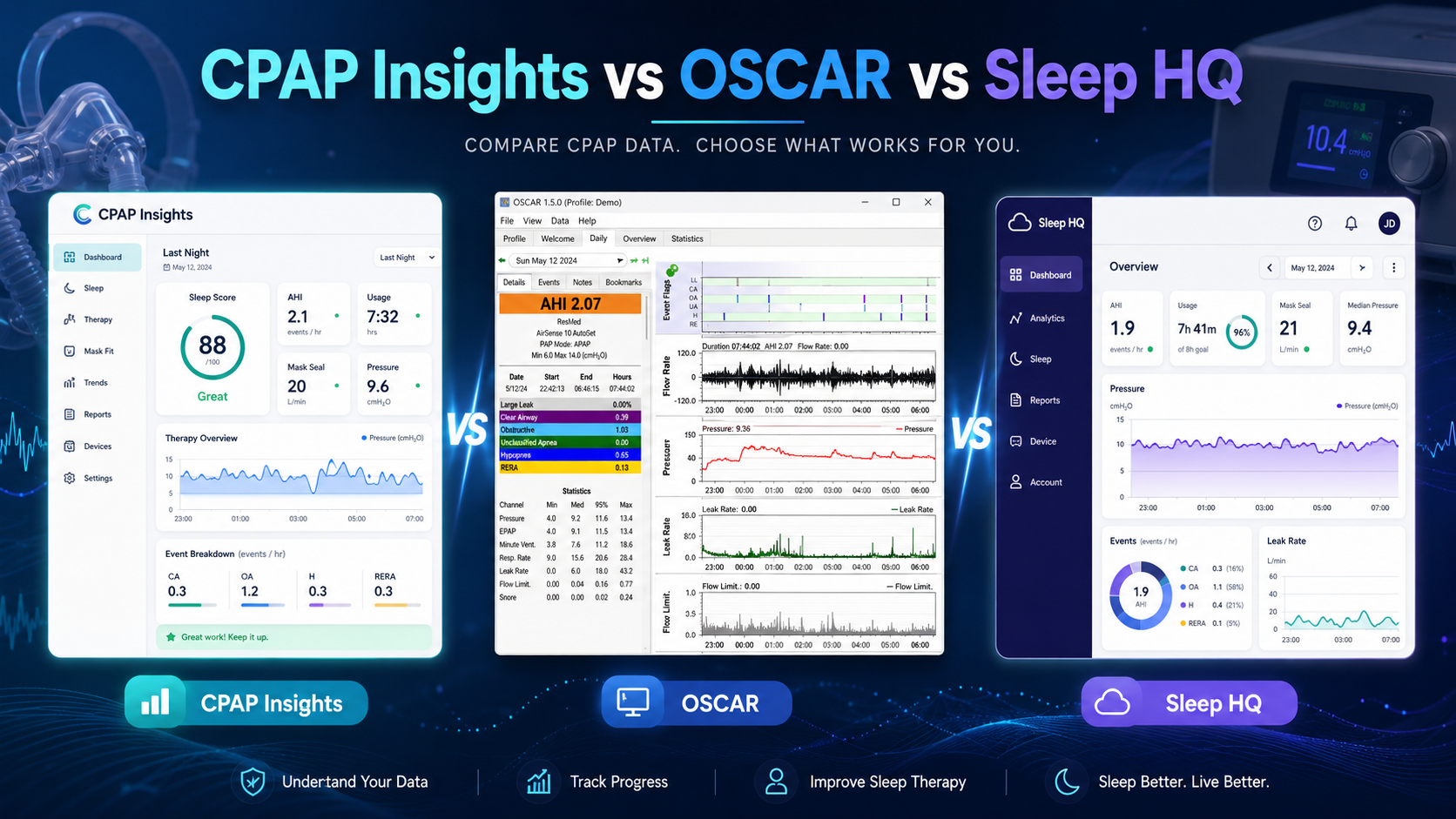
OSCAR — the Open Source CPAP Analysis Reporter — is the most widely used free tool for reading the detailed data your CPAP machine records on its SD card. It's a free, open-source desktop program for Windows, Mac, and Linux, maintained by the CPAP community as the successor to the older SleepyHead software.
For years, OSCAR has been the gold standard for people who want to see everything their machine records — not just the summary numbers the manufacturer app shows. It reads ResMed, Philips Respironics, and several other brands, and it's completely free.
What OSCAR Does Well
There's a reason OSCAR is so respected:
- It shows the full breath-by-breath flow rate waveform, every scored event, pressure, leak, and all of your machine's settings.
- It's free forever, with no account and no subscription.
- It runs entirely offline on your own computer.
- It's trusted by the large Apnea Board and CPAP self-advocacy communities.
If you want maximum control and you're comfortable with software, OSCAR is genuinely excellent.
Where OSCAR Gets Hard
The trade-offs are mostly about friction and interpretation:
- You have to download and install a desktop application, then keep it updated yourself.
- The interface is dense and clinical — it was built for power users, and the learning curve is steep.
- It runs on a computer only. There's no phone or tablet version, so you need a card reader and a laptop or desktop.
- It shows you charts, but it doesn't explain them. OSCAR will draw your flow limitation graph; understanding what it means is left entirely to you.
None of this makes OSCAR bad — it makes it a tool for tinkerers. Many people just want the answer without becoming a part-time sleep technician.
A Simpler Alternative: Read Your Card in the Browser
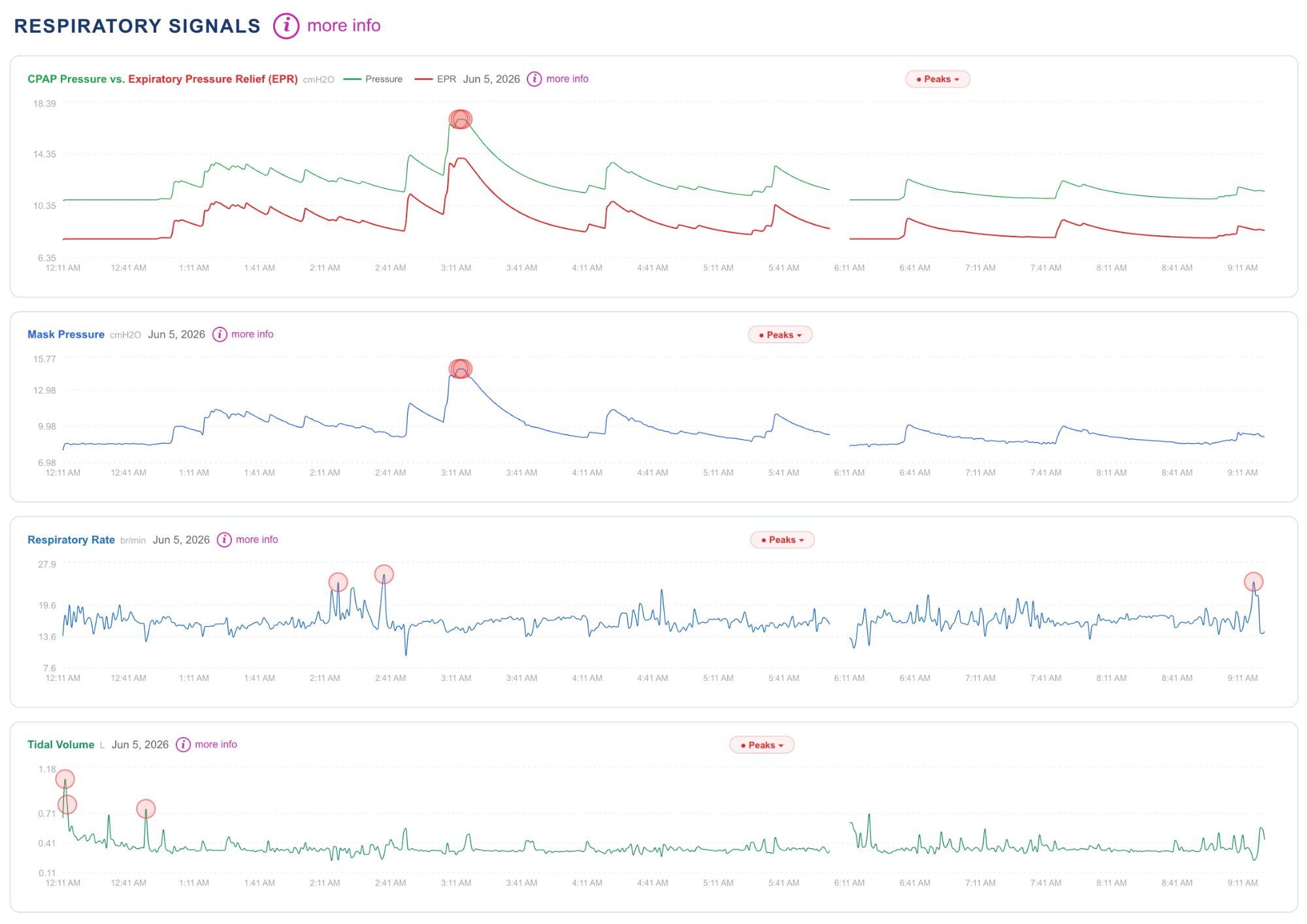
CPAP Insights reads the same SD card data — but directly in your web browser, with nothing to download or install. You insert your card, point the site at it, and it parses the same detailed record: AHI and event breakdown, leak, pressure behavior, and flow limitation patterns.
The difference is what happens next. Instead of leaving you to interpret dense charts, CPAP Insights explains your data in plain language and includes an AI assistant, Sleep Doc AI, that can answer questions about your specific nights. It works on the ResMed AirSense 10 and 11, the AirCurve bilevel line, and the Philips DreamStation, and it's free to start.
Which Should You Choose
A simple way to decide:
- Choose OSCAR if you want a free, offline desktop tool, you don't mind installing and learning software, and you like having every raw knob at your fingertips.
- Choose CPAP Insights if you want the same depth of insight without installing anything, on any device, with the numbers actually explained to you.
They're not mutually exclusive — plenty of people use OSCAR for deep dives and CPAP Insights for a fast, readable check-in. If you've been searching for an OSCAR alternative because the desktop app felt like too much, reading your card in the browser is the easiest place to start.