


The App Only Shows You the Summary
If you use a ResMed AirSense with MyAir, or a Philips machine with DreamMapper, you've seen the basics: a usage time, a mask seal score, and an AHI. That's a tiny slice of what your machine actually records.
Every night, your CPAP writes a detailed, breath-by-breath record to the SD card inside it. Learning to read that record is the difference between "my app says I'm fine" and actually understanding your therapy.
The Numbers That Matter
Here's what to look for, and what each one tells you:
- AHI (Apnea-Hypopnea Index): average apnea and hypopnea events per hour. Under 5 is the treated range, 5–15 is mild, 15–30 moderate, and over 30 severe.
- Event types: not all events are equal. Obstructive apneas (OA) mean a blocked airway; central apneas (CA) mean your brain briefly stopped signaling a breath; hypopneas (H) are partial reductions; RERAs are subtle arousals that often don't count toward AHI at all.
- Usage hours: how long you actually wore the mask. Fragmented, short sessions matter as much as the total.
- Leak rate: air escaping your mask. High leak degrades pressure delivery and can mimic or worsen other problems.
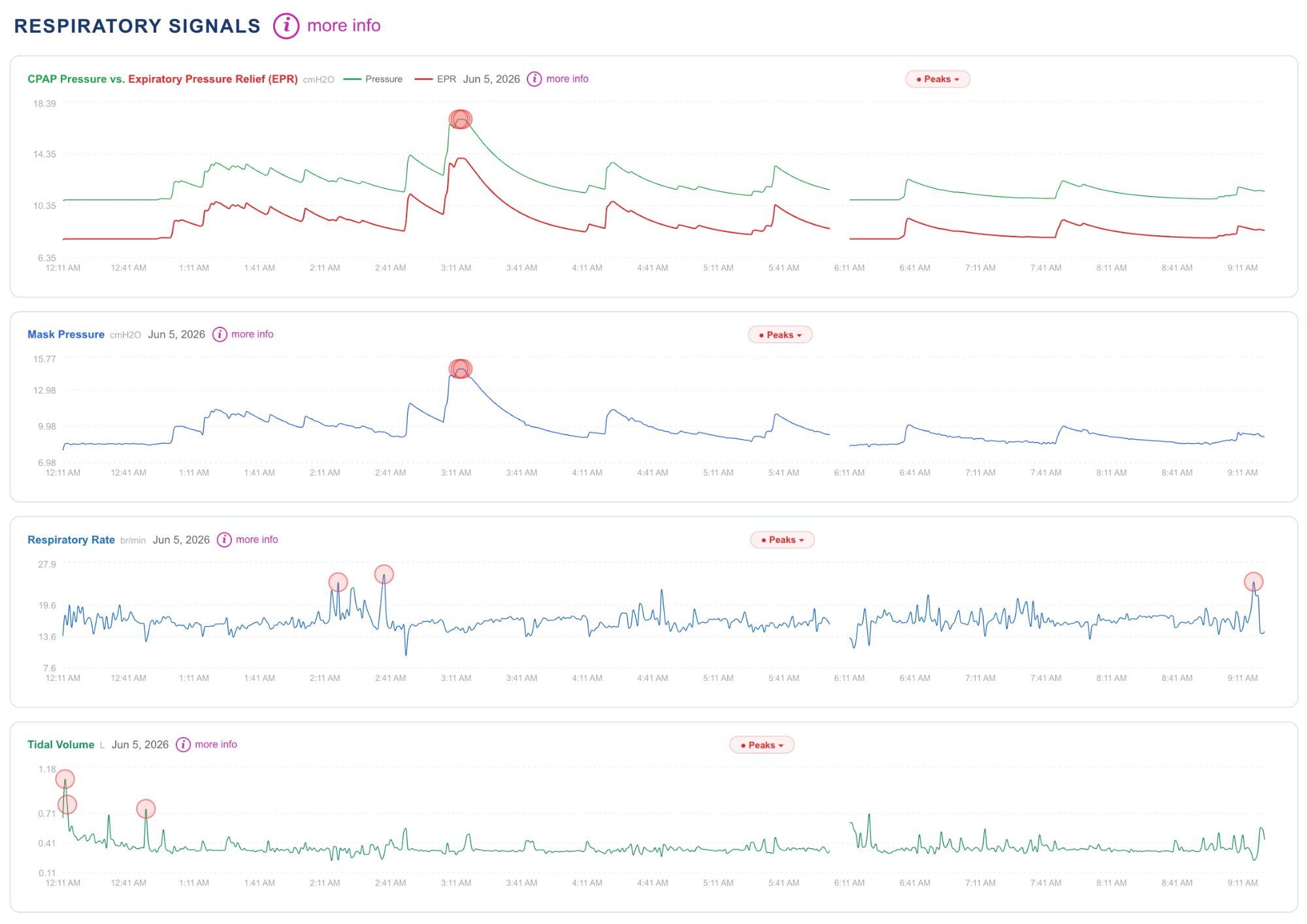
- Pressure: what your machine delivered, and whether an auto-adjusting machine was actually responding to events.
- Flow limitation: subtle airway narrowing that doesn't meet the criteria for a scored event — one of the most useful and most overlooked signals.
How to Actually Access the Data
There are three common ways to read the full SD card record:
- The manufacturer's clinical software (like ResMed's) — generally meant for providers, not patients, and still summary-focused.
- OSCAR, the free open-source desktop app — extremely detailed, but you install it, learn it, and interpret the charts yourself.
- CPAP Insights, which reads the same card directly in your browser and explains the results in plain language, with an AI assistant to answer questions about your nights.
Whichever you choose, the key move is the same: get past the phone app and into the card.
Reading a Single Night, Step by Step
Once your data is loaded, a good routine is:
1. Start with AHI, then look at the event breakdown — a "good" AHI made up mostly of central apneas is a very different story from one made of obstructive events.
2. Check leak. If leak is high, treat that first, because it distorts everything else.
3. Look at pressure. On an auto machine, is pressure rising to meet events, or sitting flat at the minimum?
4. Scan for flow limitation. Sustained flattening of the breath waveform, even with a low AHI, is worth attention.
5. Finally, connect it to how you felt. Your subjective sleep is data too.
When the Numbers Look Fine but You Don't
The most important thing to know as a beginner: a normal-looking AHI does not guarantee good sleep. Conditions like UARS (Upper Airway Resistance Syndrome) cause fragmented sleep through flow limitation and arousals that standard scoring misses entirely.
If you're compliant, your AHI is under 5, and you're still exhausted, that's not a contradiction to ignore — it's a signal to look deeper into the exact data above. Import your card into CPAP Insights and let it walk you through what your night actually looked like.