

Why Compare CPAP Analysis Tools at All?
If you're reading SD card data from your machine, you've probably noticed that your device's built-in display and most companion apps give you only the headlines: AHI, hours used, basic apnea counts. They don't tell you *why* your number moved, whether your pressure needs adjustment, or whether you're experiencing flow limitation masquerading as something else.
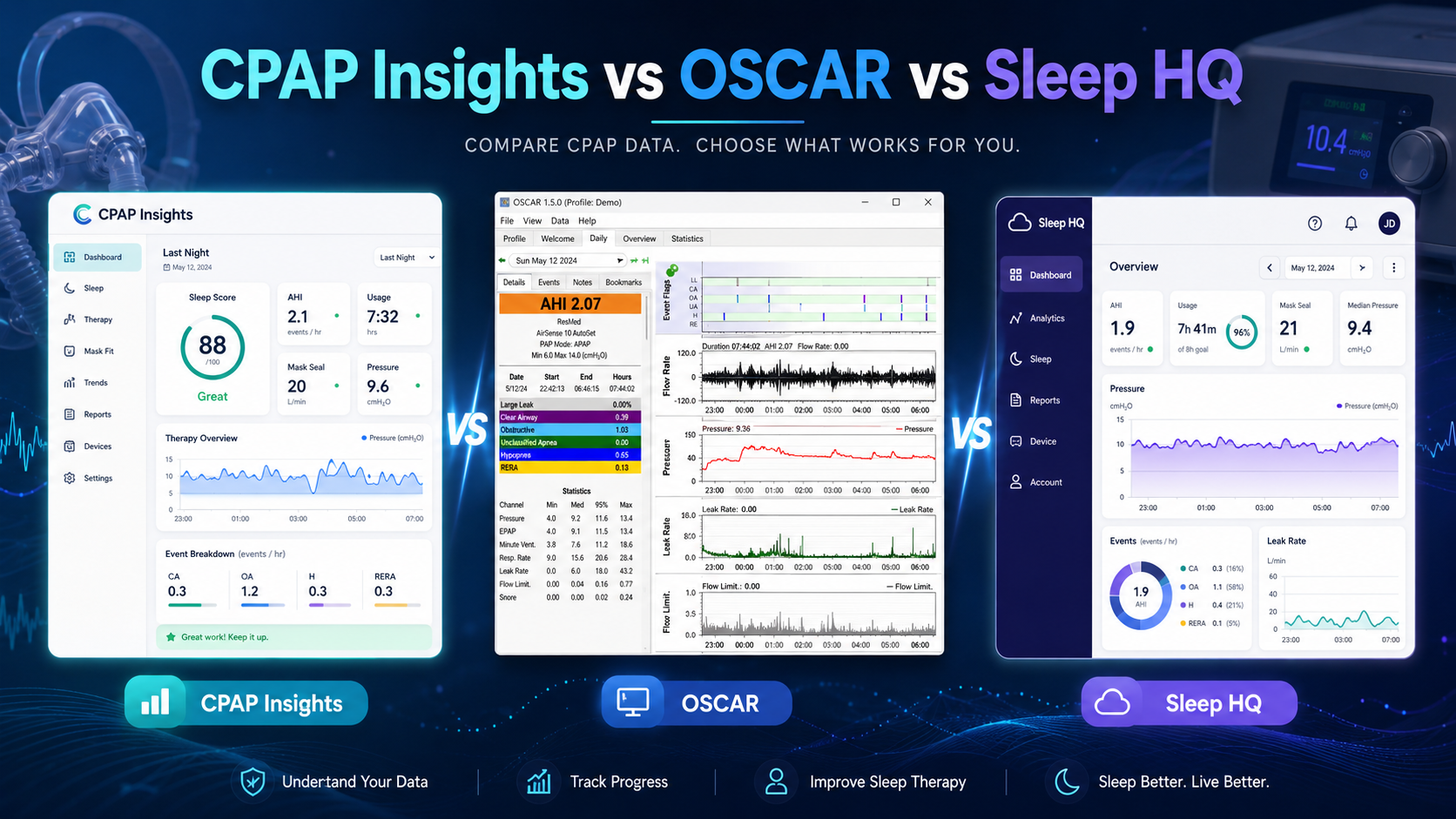
Three free or affordable tools have emerged to fill that gap: OSCAR (open-source, Windows/Mac), SleepHQ (subscription, cloud-based), and CPAP Insights (freemium web app). Each takes a different approach to the same problem: making your CPAP data actually legible.
The right tool depends on what you want to understand about your therapy—and how deep you're willing to dig.
OSCAR: The Gold Standard for Raw Data Exploration
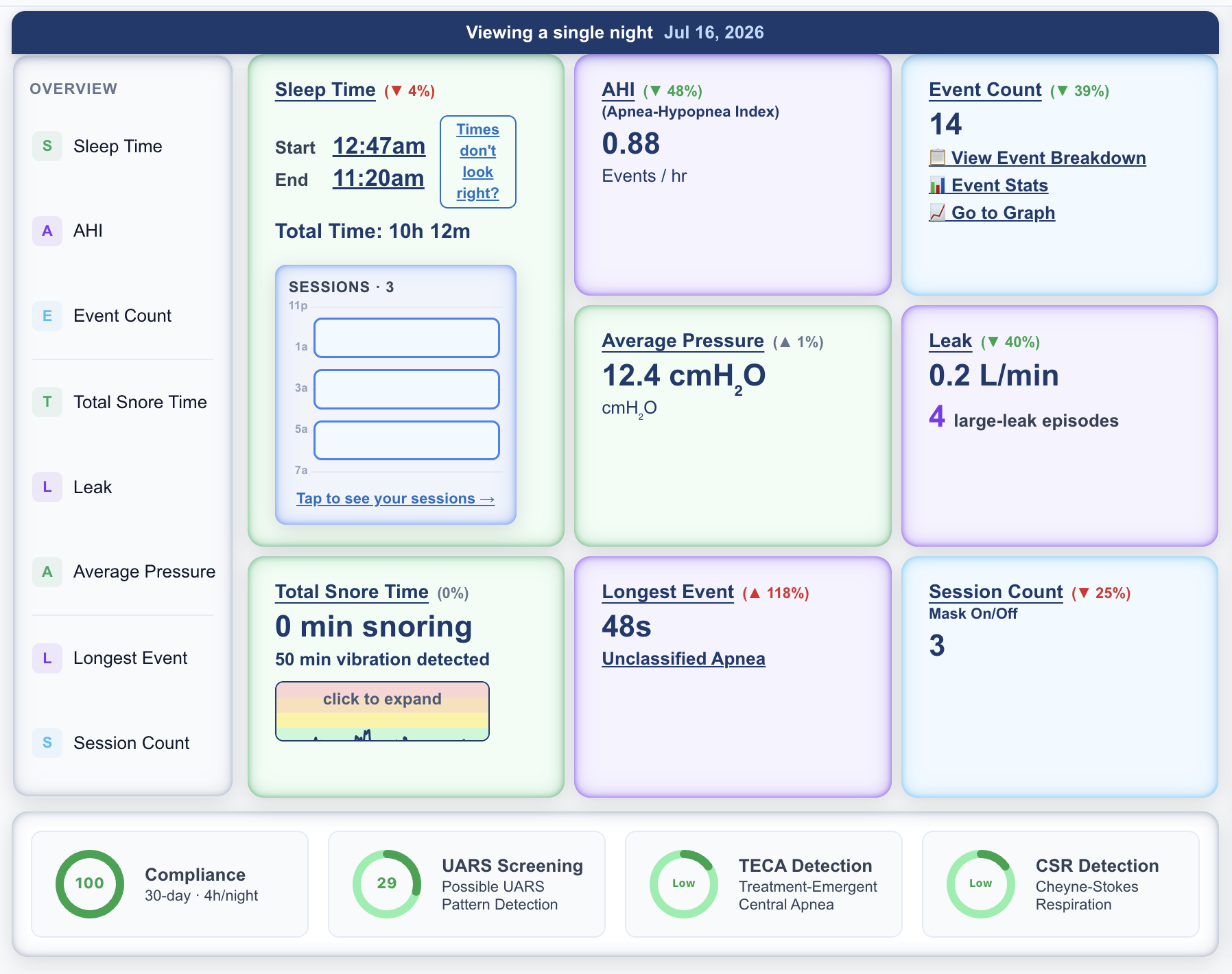
OSCAR (Open Source CPAP Analysis Reporter) is the veteran here. Built by CPAP users for CPAP users, it's been the de facto standard for anyone serious about understanding their therapy data.
What OSCAR does best:
- Displays breath-by-breath raw waveforms with frame-level detail
- Lets you zoom into specific nights and hour-by-hour breakdowns
- Shows pressure curves, flow patterns, and leak behavior in granular detail
- Completely free and transparent (open source on GitHub)
- Works offline; no cloud dependency
- Large, active user community with deep institutional knowledge
The tradeoff: OSCAR has a steep learning curve. The interface is dense and technical—you need to understand what you're looking at (flow limitation, central apneas, pressure ramp curves) before it's useful. It's a tool for people willing to study their data, not a push-button analyzer.
OSCAR runs on Windows and Mac but requires manual SD card import and some comfort with technical software.
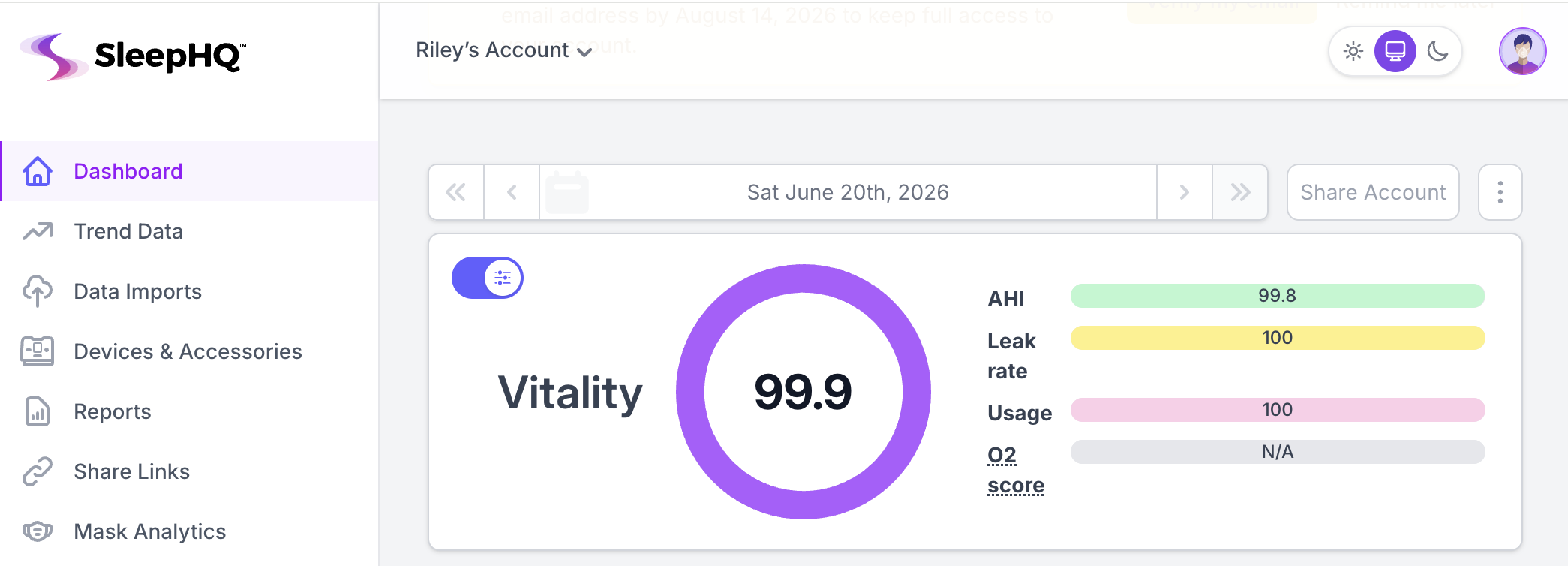
SleepHQ: The Polished Dashboard with Clinical Flavor
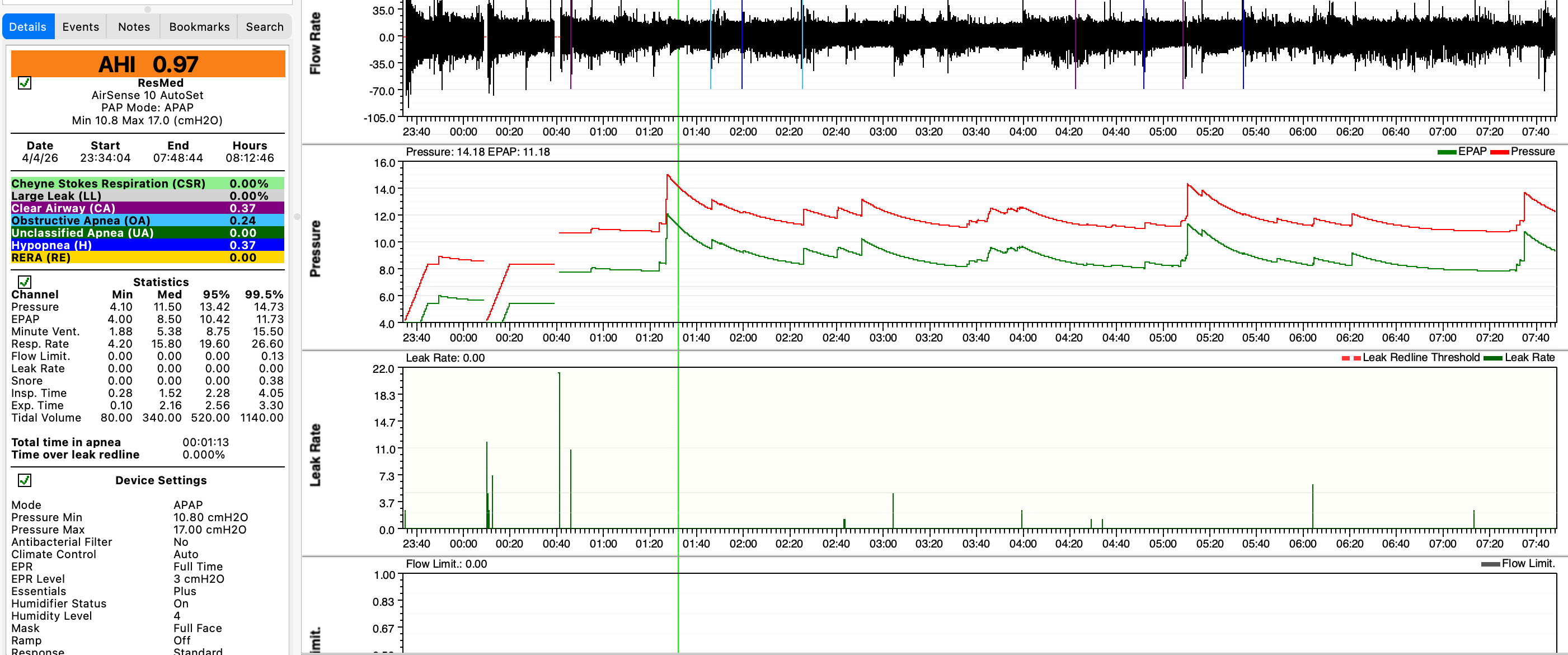
SleepHQ is the newer, more consumer-friendly entrant. It's a subscription service (around $10–15/month) that syncs with ResMed and Philips cloud connectivity, pulling your data automatically.
What SleepHQ does well:
- Automatic syncing — no manual SD card import required
- Clean, modern dashboard showing trends over weeks and months
- Generates PDF reports suitable for sharing with your sleep doctor
- Attempts to flag potential issues (high leak, pressure dips, unusual AHI patterns)
- Mobile app for checking your data on the go
- Integrates with cloud-connected devices seamlessly
The limitations: SleepHQ's analysis is more surface-level than OSCAR. It's designed for the informed patient who wants at-a-glance summaries, not frame-level forensics. The subscription cost is a barrier for casual users. And like all cloud tools, it depends on your device having cloud connectivity—older ResMed devices or Philips machines with spotty connectivity can be problematic.
CPAP Insights: Bridging SD Card Data and Clinical Screening
CPAP Insights (disclosure: this is the tool I built) takes a hybrid approach. It's a freemium web app designed for users who want more than their machine's summary, but without OSCAR's technical overhead.
Key features:
- Manual SD card import — you upload your ResMed, Philips, or Luna device data
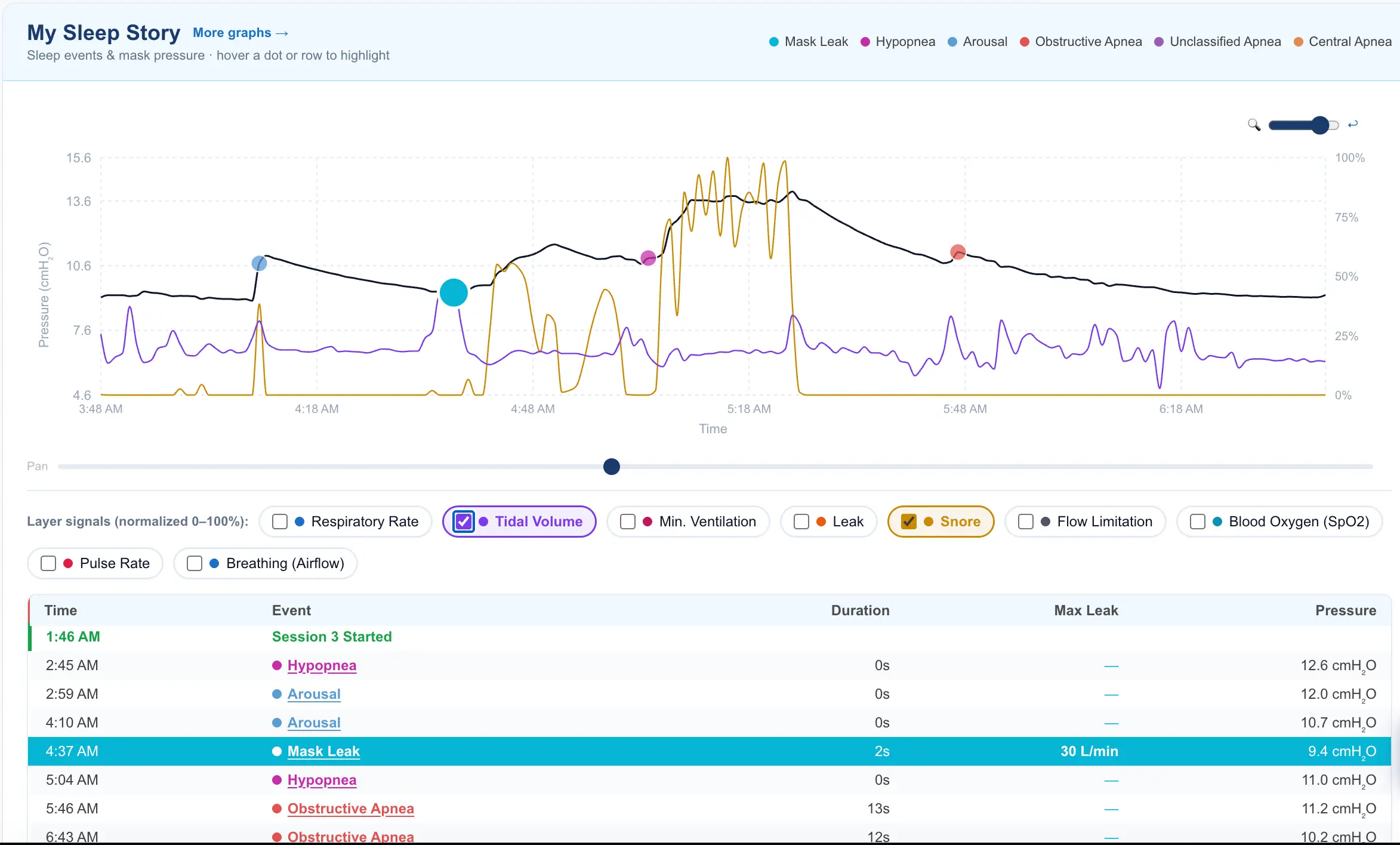
- Build a Graph — generate custom charts of AHI, pressure, leak, and events over time
- Flow limitation detection — flags suspected flow limitation events, a key marker of UARS (Upper Airway Resistance Syndrome)
- UARS screening tool — helps you evaluate whether you might have flow-limited breathing despite a "normal" AHI
- Sleep Doc AI — summarizes your trends and highlights potential discussion points for your next appointment
- No subscription; core features free; optional Sleep Doc AI uses a small credit system
The design philosophy is actionable insight without information overload. It sits between SleepHQ's simplicity and OSCAR's depth. You still need to understand your data (it's not a magic black box), but the interface guides you toward the right questions.
The tradeoff: you manage your own SD card exports, so it's not as seamless as cloud-synced tools. And the analysis is still bounded—it's meant to complement, not replace, your sleep doctor's interpretation.
Head-to-Head: Which Tool for Which Goal?
Choose OSCAR if:
- You're technically comfortable and want to inspect every data point
- You're troubleshooting a specific pressure setting or event pattern
- You want to detect subtleties like central apnea clusters or compliance dips
- You prefer offline, zero-cost analysis
- You're collaborating with a sleep specialist who understands OSCAR output
Choose SleepHQ if:
- You value convenience and don't mind paying for automatic syncing
- Your device supports cloud connectivity (newer ResMed AirSense 10/11, Philips)
- You want a polished, professional report to share with your doctor
- You prefer mobile-friendly dashboards and trend summaries
- You like the hands-off approach
Choose CPAP Insights if:
- You want to explore your SD card data without learning OSCAR's interface
- You're interested in flow limitation and UARS screening
- You like free tools with optional paid depth
- You want actionable summaries and talking points for your next sleep appointment
- You're managing your own data but want guidance on what matters
Reality check: Many users benefit from using *more than one*. Some CPAP Insights users also keep OSCAR for deep-dive troubleshooting. SleepHQ users sometimes import their data into OSCAR for pressure tuning. The three tools complement rather than compete—they're solving slightly different problems.
The Bottom Line: Start Where You Are
If you're new to CPAP data analysis, start with CPAP Insights or SleepHQ to build intuition without drowning in waveforms. If you're already comfortable reading event logs and pressure traces, OSCAR is unbeatable for detail.
Whichever tool you choose, the goal is the same: understand your therapy well enough to have an informed conversation with your sleep doctor. None of these tools replace clinical judgment—they inform it.
Have experience with all three? The CPAP Insights community forum is open for comparisons and workflow tips. And if you're trying CPAP Insights, start with a few nights of SD card data to get a feel for the graphs before diving into flow limitation screening or UARS assessment.
Your data is already being recorded. These tools just help you read it.