


How Auto-Titrating Pressure Works
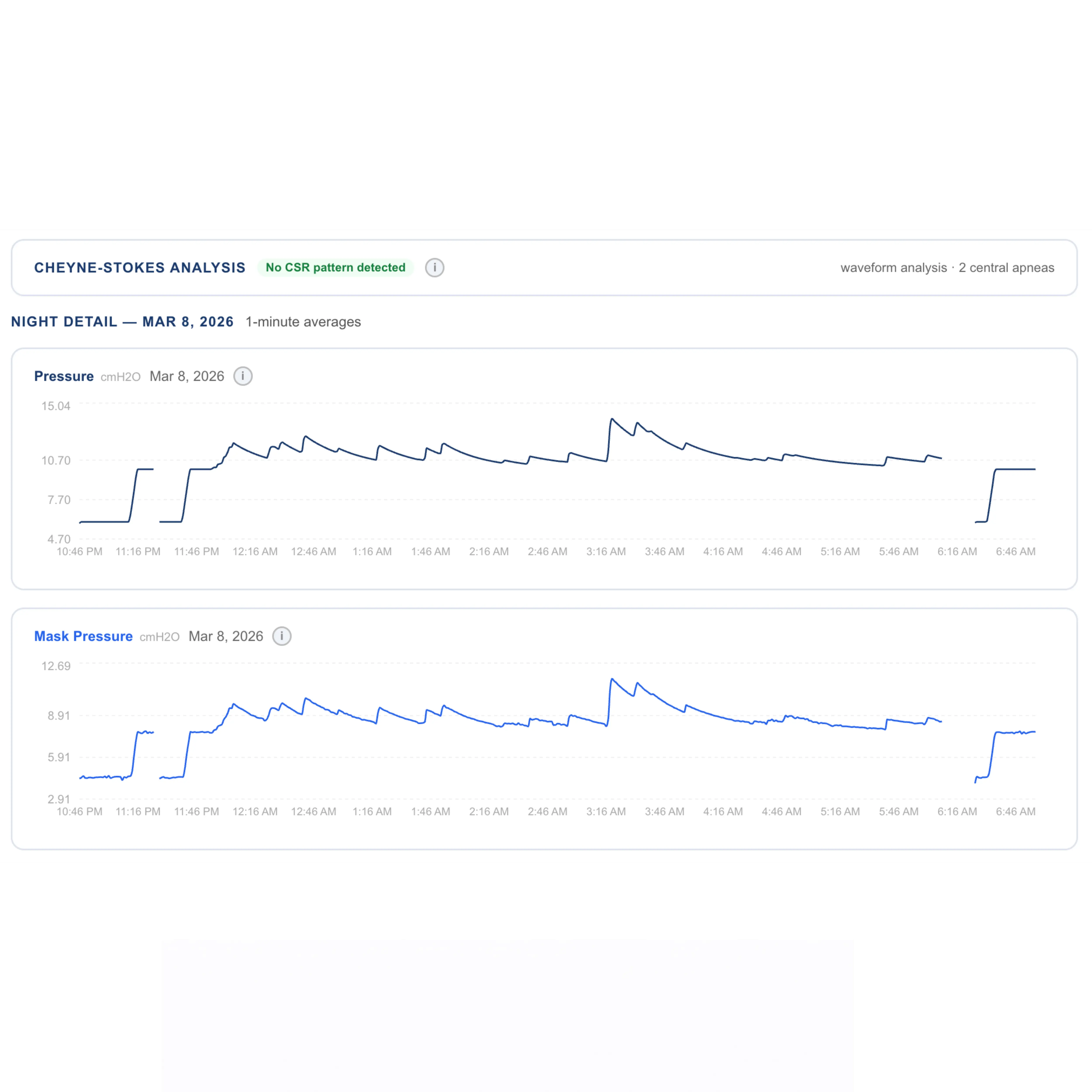
Auto-titrating CPAP machines (APAP) adjust pressure throughout the night based on detected events. When the algorithm senses an apnea, hypopnea, or flow limitation, it increases pressure to splint the airway open. When breathing normalizes, it gradually lowers pressure for comfort.
But the algorithm isn't perfect — it's tuned to respond to events the machine can clearly detect. Subtle partial obstructions, especially those seen in UARS, may not trigger a pressure response.
Signs Your Pressure May Be Too Low
Watch for these patterns in your data:
- Pressure stays near its minimum setting for most of the night (60%+ of the time)
- Sustained flow limitation clusters occur without a corresponding pressure increase
- Frequent snoring detected despite a low AHI score
- You consistently wake feeling unrefreshed despite adequate usage hours
Reading Pressure Data in CPAP Insights
In CPAP Insights, check the "pressure at/near minimum" percentage in your nightly data. If pressure sits within 1 cmH2O of your minimum for most of the night while flow limitation is elevated, the algorithm likely isn't responding aggressively enough to your specific airway resistance.
Use Build a Graph to overlay pressure and flow limitation signals — you should see pressure rise when flow limitation increases. If pressure stays flat during flow limitation clusters, that's a clear sign of undertreatment.
Steps to Optimize Your Pressure
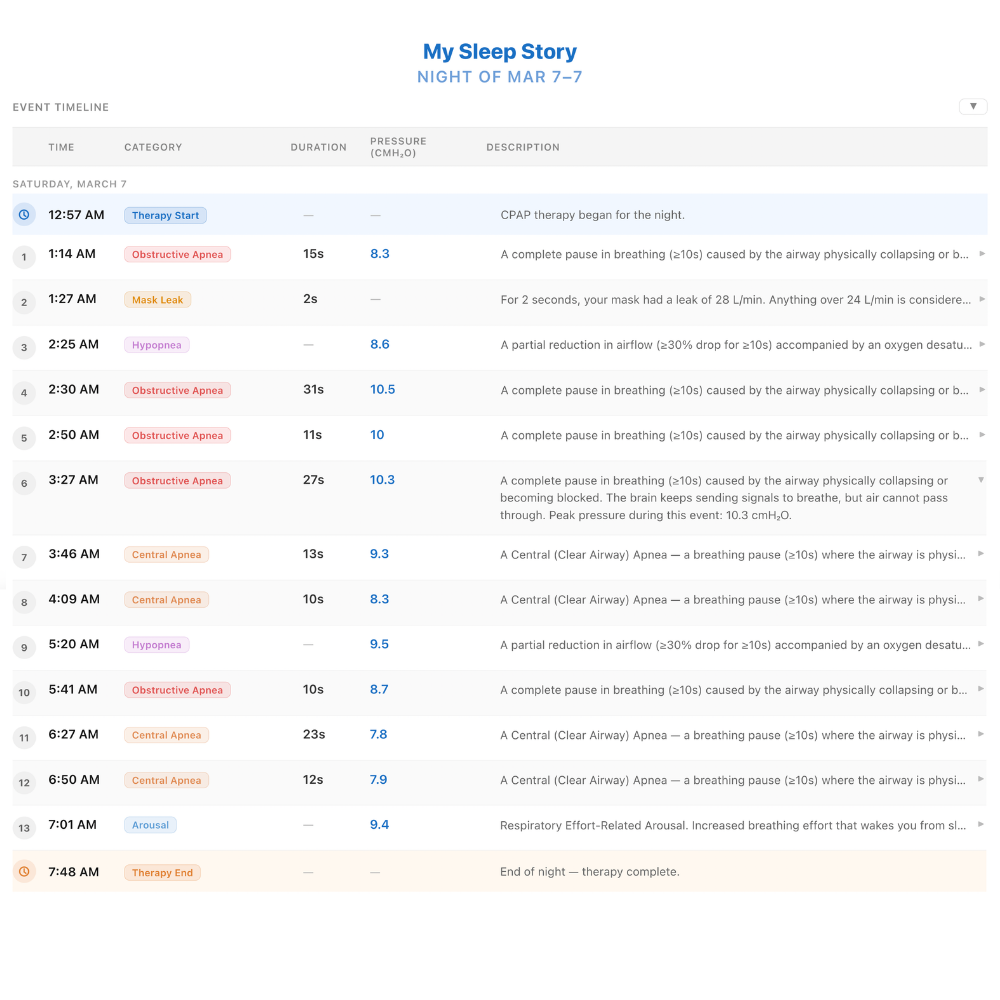
Important: Always work with your sleep doctor before changing any pressure settings. Pressure adjustments affect your overall therapy and can have unintended consequences — including triggering central apnea events — if made without clinical guidance.
When you bring your data to your doctor, they may consider:
- Adjusting your minimum pressure if flow limitation clusters are persistent and the algorithm isn't responding
- Whether EPR (Expiratory Pressure Relief) settings are contributing to central events
- Whether BiPAP is a better fit if higher pressures cause discomfort or paradoxical events
- Reviewing your full data trend over multiple weeks, not just a single night
Your job is to bring the data. Your doctor's job is to make the call. CPAP Insights is designed to help you arrive at that conversation with a clear picture of your patterns — not to replace it.