Free · No credit card · Import in minutes
The most advanced
CPAP analyzer
on the web.
Import your SD card to see night-by-night AHI, sleep events, respiratory signals, UARS screening, and AI-powered analysis. Works with ResMed, Philips, and Luna machines.
Getting started
Import your SD card in 3 steps
No software to install — everything is read right in your browser. All you need is your machine's SD card and a computer.
1
Remove & insert the card
Pop the SD card out of your ResMed, Philips, or Luna machine and slide it into your computer's card reader — a cheap USB adapter works if there's no built-in slot.
2
Select the card
Click Import CPAP Data, find your card (usually named NONAME) in the picker, and grant read permission. Don't open any folders — just select the card itself.
3
Review & import
The app scans every night on the card and lets you pick which to import. Nothing leaves your computer until you choose to save — and next time, one click re-syncs.
Click any image to enlarge
On a phone? SD card import needs a desktop or laptop browser.
See it in action
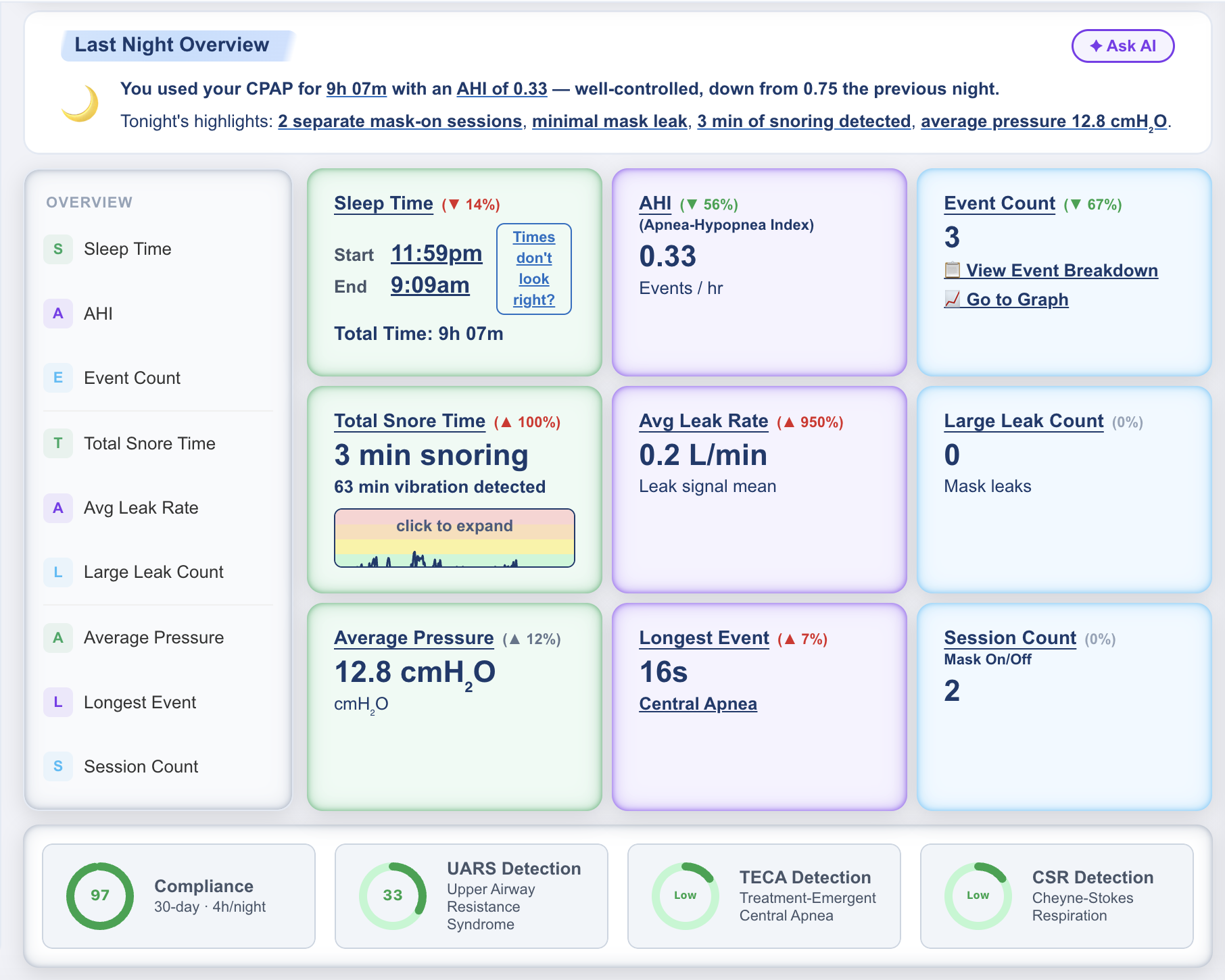
A full dashboard built for your therapy
What makes it different
Tools your sleep clinic doesn't give you
UARS Screening
Detects upper airway resistance from 2-second flow limitation signals — the pattern most CPAP apps miss entirely. Requires SD card import.
Cheyne-Stokes Detection
Identifies the crescendo-decrescendo breathing pattern associated with heart failure and central apnea disorder, directly from your tidal volume signal.
Signal Graph Layering
Overlay any combination of pressure, leak, tidal volume, respiratory rate, and flow limitation on one chart. See exactly when events cluster.
AI Sleep Doc Chat
Ask plain-English questions about your data. What does my AHI mean? Is my leak rate okay? What should I bring to my next appointment?
What users say
“Finally something that explains what my AHI actually means night by night. I use this before every doctor visit now.”
Mark T.
CPAP user, 2 years on therapy
“The UARS screening flagged a pattern my sleep clinic hadn't mentioned. Brought it to my doctor and we adjusted my settings.”
Sarah D.
AirSense 10 user
“Way more useful than the ResMed app. The graph overlays alone are worth it — I can see exactly when events cluster.”
James K.
18 months of data imported
Start understanding your sleep tonight.
Free forever. Import your SD card in minutes.